
By Darren Slatter · Director, Digi Toolbox · Studios

For a small business, your website is often the first impression potential customers have of your company. Whether someone is searching for a local tradesperson, comparing professional services or researching a product, your website can influence whether they choose to get in touch.
Effective web design for small businesses is about more than creating an attractive website. It should help customers understand what you offer, establish trust and make it easy for visitors to contact you.
A well-designed website also provides the foundation for search engine optimisation (SEO), helping potential customers discover your business through Google.
At Digi Toolbox, we've been helping businesses across Hampshire and the UK improve their websites and digital marketing since 2007.
In this guide, we'll explain what makes a successful small business website, the features worth investing in, common mistakes to avoid and how to make sure your website is working for your business.
Why Is Professional Web Design Important for Small Businesses?
Your website works for your business 24 hours a day, giving potential customers access to information about your products and services whenever they need it.
However, simply having a website doesn't guarantee that it will attract customers or generate enquiries.
If visitors struggle to navigate your website, can't find the information they need or encounter technical problems, they may choose a competitor instead.
Professional small business web design should focus on five important objectives:
- Build trust: Present your company professionally and demonstrate your experience.
- Attract customers: Provide a strong foundation for visibility in Google Search.
- Explain your services: Help visitors understand what you offer and why they should choose you.
- Generate enquiries: Make it straightforward for visitors to call, email, book or request a quotation.
- Support growth: Allow your website to develop as your business expands.
For many small businesses, improving these fundamentals can be more valuable than adding complicated features that customers may never use.
What Should a Small Business Website Include?
The best small business websites are usually straightforward to navigate, easy to understand and focused on the information customers need.
Although every business has different requirements, there are several important features worth considering.
A Clear and Professional Homepage
Your homepage should explain what your business does within seconds of someone arriving.
Visitors should quickly understand:
- What products or services you provide.
- Who your services are designed for.
- Where your business operates.
- Why customers should consider choosing you.
- How to get in touch.
For example, a plumbing company in Fareham could use a heading such as:
Professional Plumbing and Heating Services in Fareham and Hampshire
This is far more useful than a generic heading such as "Welcome to Our Website".
Clear messaging helps visitors understand whether your business offers what they're looking for.
Dedicated Pages for Your Main Services
One common web design mistake is trying to explain every service on a single page.
Where appropriate, creating individual service pages helps customers find relevant information and gives search engines clearer content to understand.
For example, a landscaping company might have separate pages for garden landscaping, patio installation, fencing and driveway installation.
Each page should explain the service, answer relevant questions and provide a clear opportunity to enquire.
Clear Contact Information and Calls to Action
Your website should make it easy for potential customers to contact you.
Depending on your business, this might include:
- A clearly displayed telephone number.
- An easy-to-use enquiry form.
- A professional email address.
- A booking or appointment system.
- A request-a-quotation button.
The most effective calls to action are relevant to what the customer wants to do.
For example, "Request a Free Quotation" may work well for a building contractor, while "Book a Consultation" may be more appropriate for a professional services company.
Customer Reviews and Examples of Your Work
Potential customers often want reassurance before contacting a business.
Genuine customer testimonials, reviews, project photographs and case studies can demonstrate your experience.
For example, a driveway installation company could display photographs of completed projects alongside customer feedback.
Where possible, use real photographs of your work rather than relying entirely on stock images.
This gives visitors a better understanding of what your business can deliver.
An About Us Page That Builds Trust
Small businesses often have an advantage when it comes to providing a personal service.
An About Us page is an opportunity to introduce the people behind your business, explain your experience and demonstrate what makes your company different.
Include relevant information such as your company's history, team members, qualifications and the areas you serve.
Why Mobile-Friendly Web Design and Website Speed Matter
Customers access websites using mobile phones, tablets and desktop computers.
Your website should work effectively across all these devices, allowing visitors to find information and contact your business without unnecessary difficulty.
This is known as responsive web design.
Make Your Website Easy to Use on Mobile Devices
A mobile-friendly website should allow visitors to:
- Read content without zooming in.
- Navigate using clear menus.
- Select buttons and links easily.
- Complete enquiry forms.
- View images correctly.
- Telephone your business directly from the website.
For local businesses, making it easy for mobile visitors to call or request a quotation can be particularly valuable.
Website Speed and User Experience
Website speed is another important consideration.
Large images, unnecessary scripts, poorly configured plugins and unsuitable hosting can all affect how quickly a website loads.
A slow website can frustrate visitors, particularly those using mobile connections.
Google also considers aspects of page experience, including its Core Web Vitals, when assessing website quality and search performance. However, a fast website alone doesn't guarantee higher rankings.
Is Your Website Slower Than It Should Be?
Want to know how well your current website performs?
Google provides a free tool that allows you to test your website's loading performance on mobile and desktop devices.
Simply visit Google PageSpeed Insights, enter your website address and click Analyse.
You'll receive a performance report highlighting areas that may need improvement, such as oversized images, slow-loading content or unnecessary website scripts.
It's a useful starting point for understanding whether technical issues could be affecting your visitors' experience.
If your website receives a low performance score, Digi Toolbox can help you understand the results and identify improvements worth making.
How Does Web Design Affect Small Business SEO?
Search engine optimisation helps potential customers discover your business when searching Google for relevant products or services.
While professional web design doesn't automatically guarantee higher rankings, the way your website is structured and developed can influence its SEO performance.
Organise Your Website Around Customer Searches
Before building a website, it's worth understanding what your potential customers are searching for.
For example, a commercial cleaning company might want to appear for searches relating to office cleaning, industrial cleaning and contract cleaning.
Understanding these searches helps identify which pages your website needs and how the information should be organised.
Create Helpful Content with Clear Headings
Your website content should answer the questions potential customers are asking.
Descriptive headings, well-organised pages and helpful information make your website easier to navigate.
Google's SEO Starter Guide recommends creating useful, well-structured content that helps visitors understand the information being presented.
Rather than repeating keywords unnecessarily, focus on explaining your services clearly and providing information that genuinely helps customers.
Use Internal Links to Connect Related Pages
Internal links help visitors discover relevant information elsewhere on your website.
For example, an article explaining how to choose patio materials could link naturally to a patio installation service page.
This creates a more useful experience for visitors and helps search engines understand how your website's pages relate to each other.
At Digi Toolbox, our SEO services include reviewing website structure, content, keyword opportunities and internal links to help improve organic search visibility.
Don't Forget Local SEO
For businesses serving specific geographical areas, local SEO can be particularly important.
A company operating in Fareham, Southampton or Portsmouth may want to appear when potential customers search for services in those locations.
Relevant service pages, accurate business information, customer reviews and a properly configured Google Business Profile can all support local visibility.
However, creating multiple nearly identical pages with different town names isn't a substitute for useful, location-relevant content.
Why Every Small Business Should Have Google Analytics and Search Console
Having a professional website is important, but knowing whether it's actually working is just as valuable.
Two free tools we recommend small businesses set up are Google Analytics 4 (GA4) and Google Search Console.
What Does Google Search Console Tell You?
Google Search Console helps you understand how your website performs in Google Search.
It can show you:
- Which keywords people search for when your website appears.
- How often your website appears in Google results.
- How many people click through to your website.
- Which pages attract organic search clicks.
- Whether Google is experiencing problems indexing important pages.
Without Search Console, you could be missing valuable information about how potential customers discover your business.
What Does Google Analytics Tell You?
Google Analytics 4 helps you understand what happens when visitors reach your website.
It can show you:
- How many people visit your website.
- Where your visitors come from.
- Which pages attract the most attention.
- How visitors engage with your website.
- Whether visitors complete important actions, such as submitting an enquiry form, when tracking is configured.
For example, your website might be receiving hundreds of visitors each month, but very few enquiries.
Google Analytics can help identify which pages visitors use and where further investigation may be worthwhile.
Why Should You Monitor Both?
Google Search Console helps you understand how people find your website through Google, while Google Analytics helps you understand what they do when they arrive.
Used together, these tools provide a clearer picture of website performance.
We recommend reviewing your website's key metrics monthly to identify improvements, declining performance or new opportunities.
At Digi Toolbox, we recommend having both tools correctly configured when a new website launches so performance can be monitored from the beginning.
How Much Does Web Design for Small Businesses Cost in the UK?
The cost of a small business website varies depending on the project's requirements.
A straightforward website introducing your business and services will generally cost less than a larger website with eCommerce functionality, booking systems or complex integrations.
Factors affecting the cost include:
- Number of pages required.
- Design and branding requirements.
- Content writing and photography.
- SEO research and optimisation.
- Online booking or eCommerce functionality.
- Integration with external business software.
- Hosting, maintenance and ongoing support.
When comparing quotations, it's important to understand what's included.
A cheaper website may not represent better value if important functionality, SEO preparation or ongoing support is excluded.
Equally, a small business doesn't necessarily need an expensive website with functionality it will never use.
The best approach is to establish what your business needs and invest in the features that will deliver genuine value.
Should Small Businesses Use WordPress?
WordPress is a popular website platform that provides flexibility and a wide range of functionality.
It can support anything from a straightforward business website to a more complex online store.
Benefits of WordPress for Small Businesses
WordPress offers several advantages:
- Flexible website design.
- Straightforward content management.
- Support for blogging and news.
- A wide range of available integrations.
- eCommerce functionality through WooCommerce.
- Opportunities to extend website functionality as requirements change.
However, WordPress websites require appropriate hosting, software updates, backups and ongoing maintenance.
At Digi Toolbox, we primarily use WordPress to create professional websites that can be developed around our customers' requirements.
WordPress vs DIY Website Builders
Platforms such as Wix and Squarespace can be suitable for businesses needing a relatively simple website.
However, businesses requiring more complex functionality, specialist integrations or greater design flexibility may benefit from a professionally developed WordPress website.
The decision should be based on your budget, technical requirements and long-term plans rather than choosing a platform simply because it's popular.
What Is the Small Business Website Design Process?
A structured website project helps ensure that important requirements are considered before development begins.
At Digi Toolbox, we focus on understanding the business and its objectives before planning and developing the website.
1. Understanding Your Business
We start by learning about your services, target customers, competitors and what you want the website to achieve.
2. Planning the Website
We establish the pages, navigation, functionality and content required to create a website that supports your objectives.
3. Designing the Website
The design stage focuses on branding, appearance, usability and making it easy for visitors to find information.
4. Developing the Website
The approved design is developed into a functioning website, with the required pages, content and features.
5. Testing and Launch
Before launch, the website should be checked for mobile usability, broken links, enquiry form functionality, loading performance and important SEO settings.
Where an existing website is being replaced, current URLs and redirects should also be reviewed to minimise disruption to established search visibility.
Common Small Business Web Design Mistakes to Avoid
Even a professional-looking website can underperform if important elements are overlooked.
Some common mistakes include:
Prioritising Appearance Over Usability
An attractive website is important, but visitors must also be able to find the information they need.
Complicated navigation, unnecessary animations and confusing layouts can create barriers.
Making It Difficult to Contact Your Business
If customers can't easily find your telephone number or enquiry form, you risk losing potential opportunities.
Make contact information clear and accessible throughout your website.
Ignoring SEO Until After Launch
SEO should be considered during website planning rather than treated as an afterthought.
Page structure, content, headings and internal links can all be planned before the website goes live.
Failing to Monitor Website Performance
Without Google Analytics and Search Console, businesses may struggle to understand how their website is performing.
Having these tools correctly configured helps you identify potential issues and make informed improvements.
Forgetting About Ongoing Maintenance
Websites need continued attention after launch.
Software updates, backups, security reviews and content improvements help keep your website functioning properly.
Why Choose Digi Toolbox for Small Business Web Design?
Digi Toolbox is a Hampshire-based digital agency that has been helping businesses with website design and digital marketing since 2007.
We understand that small businesses need websites that look professional, are easy to use and support their wider business objectives.
Websites Designed Around Your Business
We take time to understand your services, customers and goals before planning your website.
Our approach focuses on creating a practical solution tailored to your requirements rather than applying the same design to every project.
Website Design and SEO Expertise
Our team provides website development alongside search engine optimisation services.
This allows important SEO considerations, such as website structure, content and technical performance, to be considered during development.
Ongoing Website and Marketing Support
A successful website often requires continued attention after launch.
Alongside professional web design, Digi Toolbox provides website support and wider digital marketing services to help businesses improve their online presence.
A Local Hampshire Agency Supporting UK Businesses
We're based in Fareham, Hampshire, and work with businesses across Southampton, Portsmouth, the surrounding areas and throughout the UK.
Customers can discuss their website requirements with our team by telephone, online meeting or face-to-face appointment where practical.
Frequently Asked Questions About Web Design for Small Businesses
How Much Should a Small Business Spend on a Website?
The right budget depends on your business requirements, the number of pages, functionality and ongoing support needed. It's important to compare what's included rather than focusing solely on the initial price.
How Many Pages Does a Small Business Website Need?
There's no fixed number. Most businesses benefit from a homepage, About Us page, relevant service or product pages and contact information. Additional pages should be created where they offer useful information to customers.
Is WordPress Suitable for Small Businesses?
Yes. WordPress is a flexible platform that can support professional business websites, blogs, booking functionality and online stores. Appropriate maintenance and security management are important.
Should Every Small Business Use Google Analytics and Search Console?
We recommend both tools for businesses that want to monitor and improve website performance. Search Console provides information about visibility in Google Search, while Google Analytics helps measure website traffic and visitor behaviour. Both are free, although Analytics requires appropriate privacy and consent considerations.
How Can I Check Whether My Website Is Fast Enough?
Use Google PageSpeed Insights to test your website's mobile and desktop performance. The tool provides performance scores and recommendations for potential improvements.
Does a Small Business Website Need SEO?
If potential customers search Google for your products or services, SEO can help improve your opportunities for organic visibility. A well-structured website with useful content provides a stronger foundation for ongoing optimisation.
Can Digi Toolbox Redesign My Existing Website?
Yes. Digi Toolbox can review an existing website and recommend suitable improvements or a more comprehensive redesign based on its condition and your business objectives.
About the author
Darren Slatter
Director, Digi Toolbox
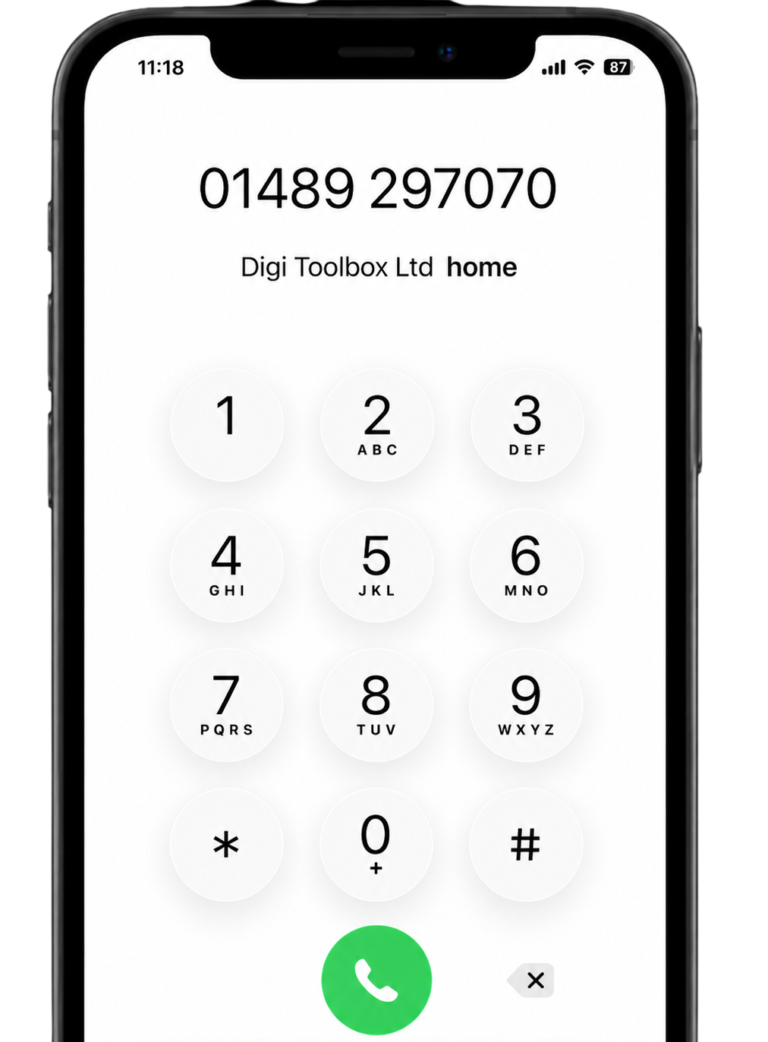
Darren Slatter is Director of Digi Toolbox, a Hampshire-based digital agency established in 2007.
With extensive experience in website development, search engine optimisation and digital marketing, Darren works with businesses to improve their online presence and develop practical digital strategies.
His work includes reviewing website performance, planning website improvements, analysing SEO opportunities and helping businesses choose suitable website and marketing solutions.
Related articles

Looking for Professional Web Design for Your Small Business?
Your website should do more than provide information about your company.
It should help potential customers understand your services, build trust and make it straightforward for them to contact you.
Whether you're launching a new business, replacing an outdated website or looking to improve your existing online presence, investing in the right website can provide a strong foundation for growth.
At Digi Toolbox, we combine professional website design, WordPress development and SEO knowledge to help UK businesses make more of their online presence.
Ready to discuss your website project?
Explore our website design services or book a meeting with our team to discuss your requirements.
Phone: 01489 297070
Email: hello@digitoolbox.com